FreeBSD Development Environment, Custom Kernel Build
These days I’ve been exploring the FreeBSD operating system a bit as a user. Wanting to learn more about its internals and start tinkering on the OS itself, this post documents my initial setup: running FreeBSD in a virtual machine with QEMU on macOS. Additionally, some initial experimentation building and booting a custom kernel.
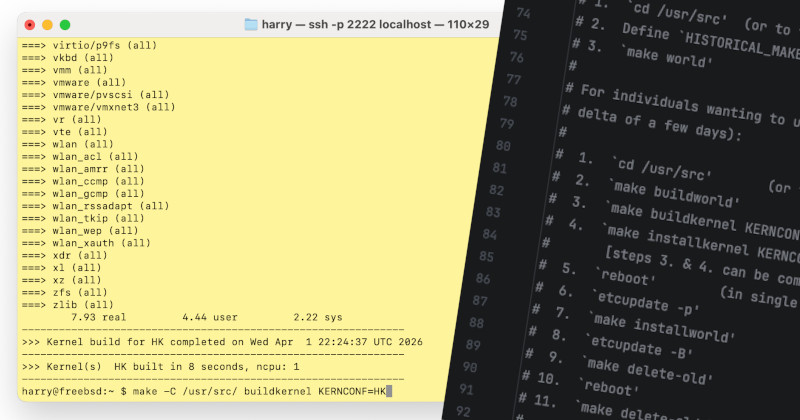
Development Environment Setup
This video & accompanying post FreeBSD on an Apple MacBook in under 5 minutes was a helpful starting point. Firstly fetching an existing VM image:
$ curl -o bsd.raw.xz https://download.freebsd.org/releases/VM-IMAGES/15.0-RELEASE/aarch64/Latest/FreeBSD-15.0-RELEASE-arm64-aarch64-ufs.raw.xz
$ xz -d bsd.raw.xz
A small helper script to launch QEMU with the raw image:
#!/bin/sh -x
# bsd.sh

default_disk="bsd.raw"
disk="${1:-$default_disk}"

qemu-system-aarch64 \
    -m 2048M -M virt,accel=hvf \
    -cpu cortex-a72 \
    -bios edk2-aarch64-code.fd \
    -rtc base=localtime,clock=rt \
    -nographic \
    -serial mon:stdio \
    -device qemu-xhci \
    -device usb-kbd \
    -device usb-tablet \
    -device virtio-net,netdev=net0 \
    -netdev user,id=net0,hostfwd=tcp::2222-:22,hostfwd=tcp::3389-:3389 \
    -drive if=virtio,file=${disk},format=raw,cache=writethrough
Besides setting up SSH, I install rsync and create a directory to host the OS source tree. You may also wish to setup a non-root user:
$ sysrc sshd_enable=YES
$ service sshd start
$ pkg install -y rsync
$ mkdir /usr/src
From the guest, I needed to extend the file system to recognise the additional space:
$ gpart show vtbd0
$ gpart recover vtbd0
$ gpart resize -i 3 -s 19G vtbd0
Now is a good time to check the output of uname -a to get some system information:
FreeBSD freebsd 15.0-RELEASE FreeBSD 15.0-RELEASE releng/15.0-n280995-7aedc8de6446 GENERIC arm64
Note the commit hash 7aedc8de6446 and kernel name GENERIC. The latter will change with our custom kernel configuration.
Checking out the source tree
Going to adopt this approach for my development cycle: work on the source on the host and rsync changes to the VM in order to build and test.
Back on macOS, I’ll use CLion as my IDE and open a new project from version control, cloning the FreeBSD git source tree mirrored on GitHub (https://github.com/freebsd/freebsd-src) and checking out the tag release/15.0.0 corresponding to the VM image downloaded earlier. The last commit hash matches the uname -a result from earlier:
$ git log
commit 7aedc8de6446ad5a10d553b926423c689f0a3363 (HEAD, tag: release/15.0.0)
Note: to get up and started quicker, it is important the source & kernel are in sync. When upgrading sources it is recommended to build more than just the kernel to ensure a consistent system, though this would be initially a longer build
Creating a custom kernel
We’re now in a good place to customise our kernel and build & install it. The helpful FreeBSD handbook has a nice chapter with more details.
The kernel configuration files for the arm64 architecture are under the path sys/arm64/conf/. Here we create a new configuration HK. This copies from GENERIC (omitting some system-on-chip configurations) and DEBUG:
# sys/arm64/conf/HK
cpu		ARM64
ident		HK

include		"std.arm64"
include		"std.dev"
include		"std.debug"

# Include SoC specific configuration
include		"std.virt"
rsyncing the source tree with the new configuration to the VM, while ignoring some folders:
$ rsync -e "ssh -p 2222" -a --del --progress --exclude .git --exclude .idea . harry@localhost:/usr/src
SSHing into the VM, we can build the kernel. If all is successful, some statistics are output:
$ cd /usr/src
$ make buildkernel KERNCONF=HK
...
     1165.10 real       976.69 user       178.11 sys
--------------------------------------------------------------
>>> Kernel build for HK completed on Tue Mar 31 18:28:33 UTC 2026
--------------------------------------------------------------
>>> Kernel(s)  HK built in 1165 seconds, ncpu: 1
--------------------------------------------------------------
Installing it on the system1:
$ make installkernel KERNCONF=HK DESTDIR=/
--------------------------------------------------------------
>>> Installing kernel HK completed on Tue Mar 31 19:31:37 UTC 2026
--------------------------------------------------------------
>>> Install kernel(s) HK completed in 7 seconds, ncpu: 1
--------------------------------------------------------------
When we reboot, if all has gone well (🤞) we can check the result of uname -a again. Note .git directory was excluded when rsyncing, so some version control metadata is lost:
$ uname -a
FreeBSD freebsd 15.0-RELEASE FreeBSD 15.0-RELEASE HK arm64
We are running our custom kernel! A nice starting point for experimenting and tinkering further.
Notes
1 See this thread on reasoning for explicit DESTDIR override. Nice tip there too for installing an alternate kernel that can be chosen from the boot menu if something goes wrong.
